

What are the most common problems with 3D printed models?
Updated
On this page
- Filament prints (fused deposition modeling, FDM)
- Print came loose from the bed (bed adhesion)
- Corners lifting off the bed (warping)
- Bottom edge flares out (elephant’s foot)
- Fine strings across the print (stringing)
- Top half shifted sideways (layer shift)
- Rough patches left by supports
- Visible lines on the surface (layer lines)
- Resin prints (stereolithography, SLA)
- Print failed halfway (torn supports)
- Sticky or soft surface (under-cured)
- Wrong size or slightly bent (shrinkage)
- Cracks, splits or snaps
- Nylon powder prints (SLS and MJF)
- Flat panels curling at the edges
- Powder trapped inside a hollow part
- Thin walls or pins snapping off
- Grainy, matte surface (SLS and MJF)
- Metal prints (selective laser melting, SLM)
- Flat plates that warp or lift
- Rough undersides where supports were cut off
- Sideways holes that sag
- Powder left inside a hollow part
- Rough, grainy surface as printed
- Defects in the design
- Frequently asked
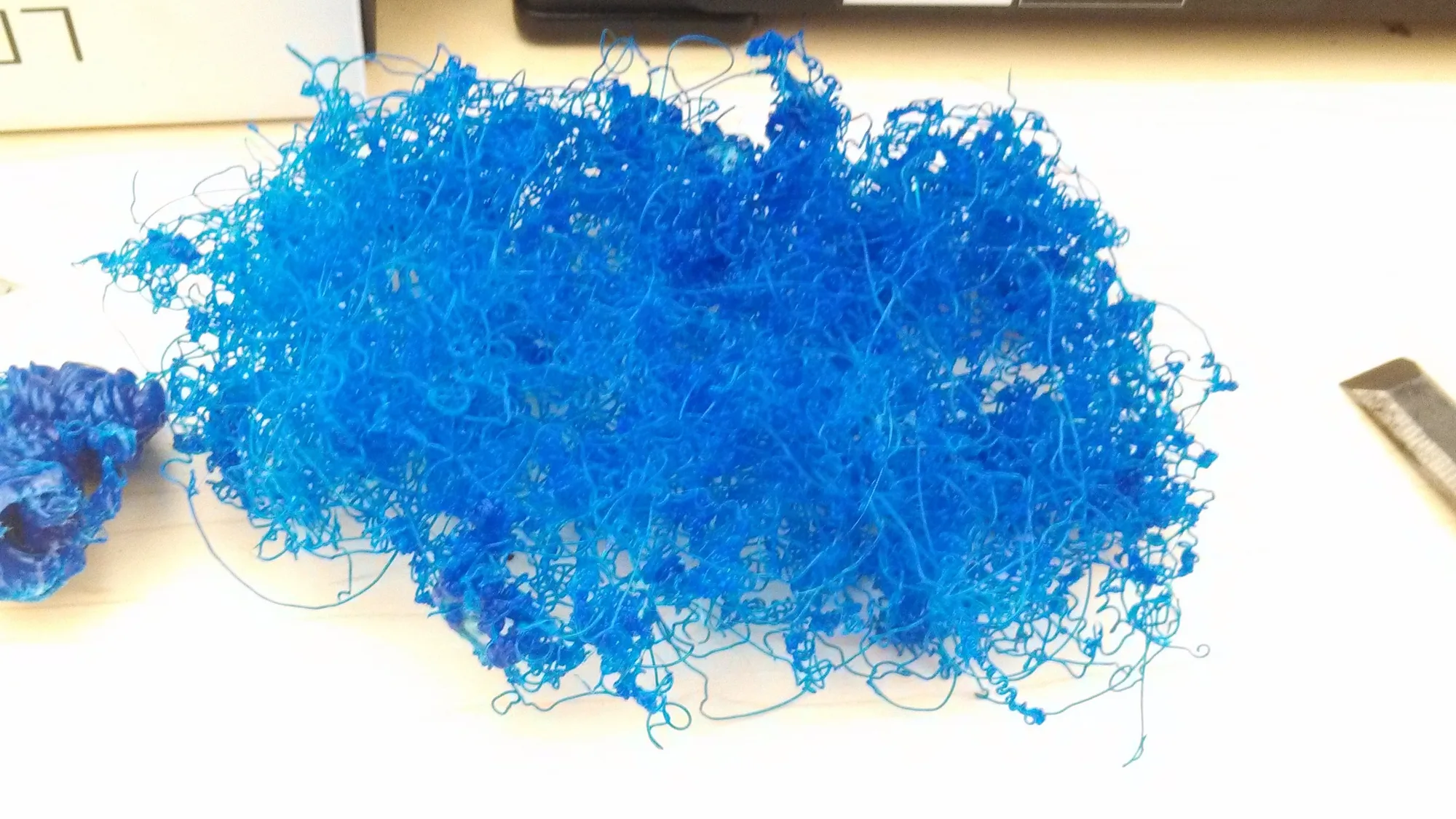
The most common problems with 3D printed models are warping, stringing, torn supports, trapped powder and parts that come out the wrong size. Which ones you meet depends on the process. Filament prints made by fused deposition modeling (FDM) warp, string and shift. Resin prints made by stereolithography (SLA) tear off their supports, stay sticky or shrink. Nylon made by selective laser sintering (SLS) or Multi Jet Fusion (MJF) curls and traps powder, and metal made by selective laser melting (SLM) warps, sags at sideways holes and traps powder too. This guide covers 20 of them across those five processes: what each looks like, why it happens, and how it is prevented before the part is printed.
Not sure which you have? A filament print shows fine ridges, a resin print is smooth, a nylon powder print is matte and slightly grainy, and a metal print is grey and slightly rough until it is finished.
Part from us arrived like this? Talk to us: we typically reprint it free, case by case.
Filament prints (fused deposition modeling, FDM)
Filament printing (FDM) builds a part from lines of melted plastic. Every part is checked before it leaves us, so a flawed print is reprinted rather than sent. Most of its problems come from heat: plastic shrinks as it cools and oozes when it is hot.
Print came loose from the bed (bed adhesion)
What it looks like: the print comes loose early, or the first layer is patchy.
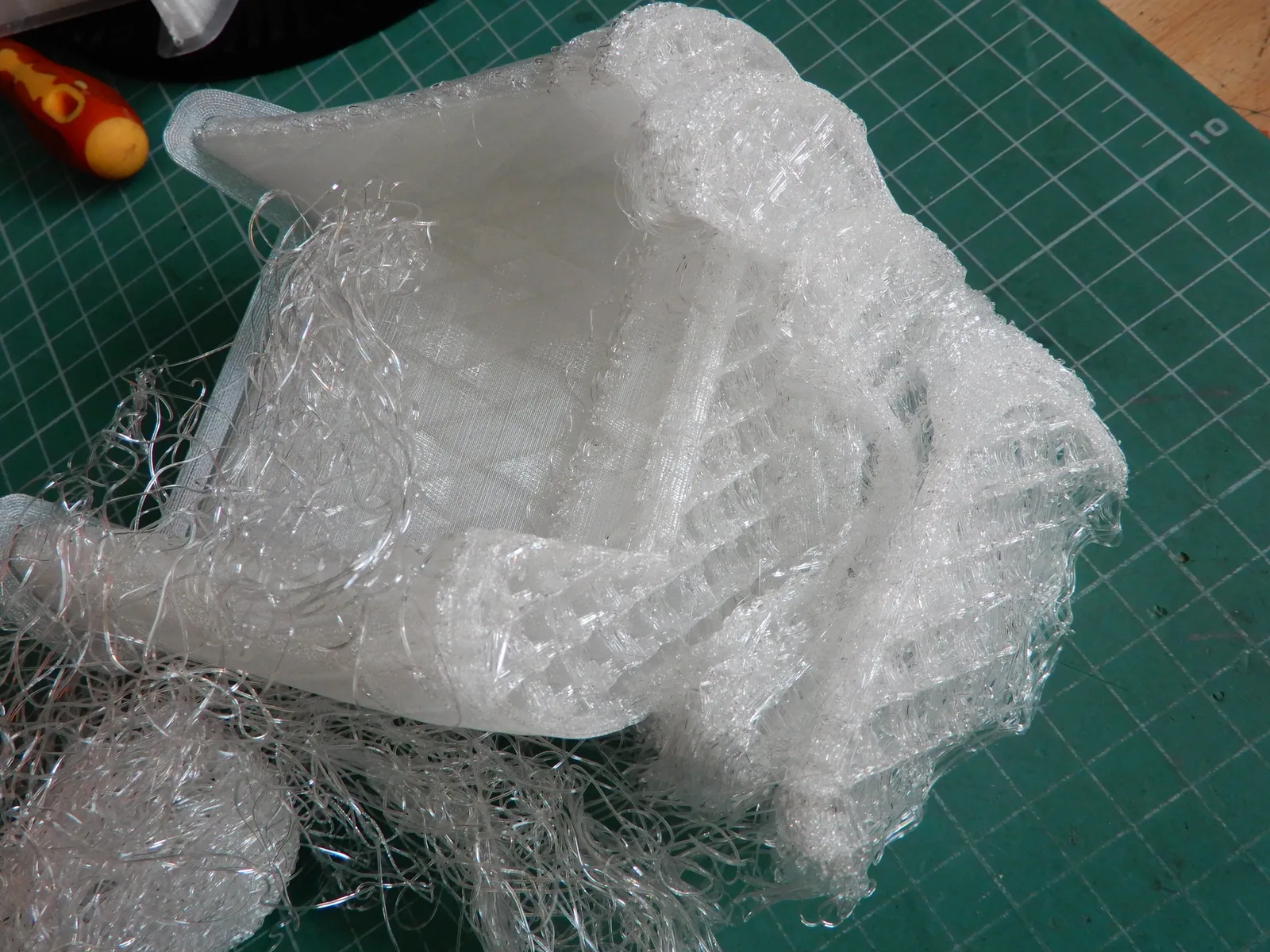
Why: a dirty or cold build plate, a nozzle too far from the plate, or a footprint too small to hold the part down.
How we prevent it: the first layer is checked at the start of every job.
Printing it yourself? Clean the plate with isopropyl alcohol, run the printer’s own levelling, and add a brim (a thin skirt printed round the base to hold it down) to small or top-heavy parts.
Corners lifting off the bed (warping)
What it looks like: corners lift off the bed mid-print, or a long flat base curls up.

Why: plastic shrinks as it cools, and each new layer pulls on the cooler ones below. ABS and ASA (the tougher filaments) and large flat parts suffer most.
How we prevent it: enclosed printers with heated beds, plus a brim, or an orientation with less flat area on the bed, where a part needs it. Our ASA Yamaha bike panels printed enclosed for exactly this reason.
Printing it yourself? Use a heated bed, add a brim, slow the first layers and keep draughts off. ABS and ASA need an enclosed printer, such as the P1S or X1C we rent. In the model, rounding the corners of a large base helps it stay down.
Bottom edge flares out (elephant’s foot)
What it looks like: the bottom few layers flare wider than the rest, so a part that should slot into something doesn’t.

Why: the first layers are squashed onto a hot bed and spread a little before they set.
How we catch it: tell us in the quote notes that the part has to fit, and its base is checked before it ships.
Printing it yourself? Lower the bed temperature slightly, raise the first layer a touch so it is squashed less, or add a small chamfer (a bevelled edge) to the bottom edge in the design.
Fine strings across the print (stringing)
What it looks like: thin, hair-like threads of plastic strung between separate features.
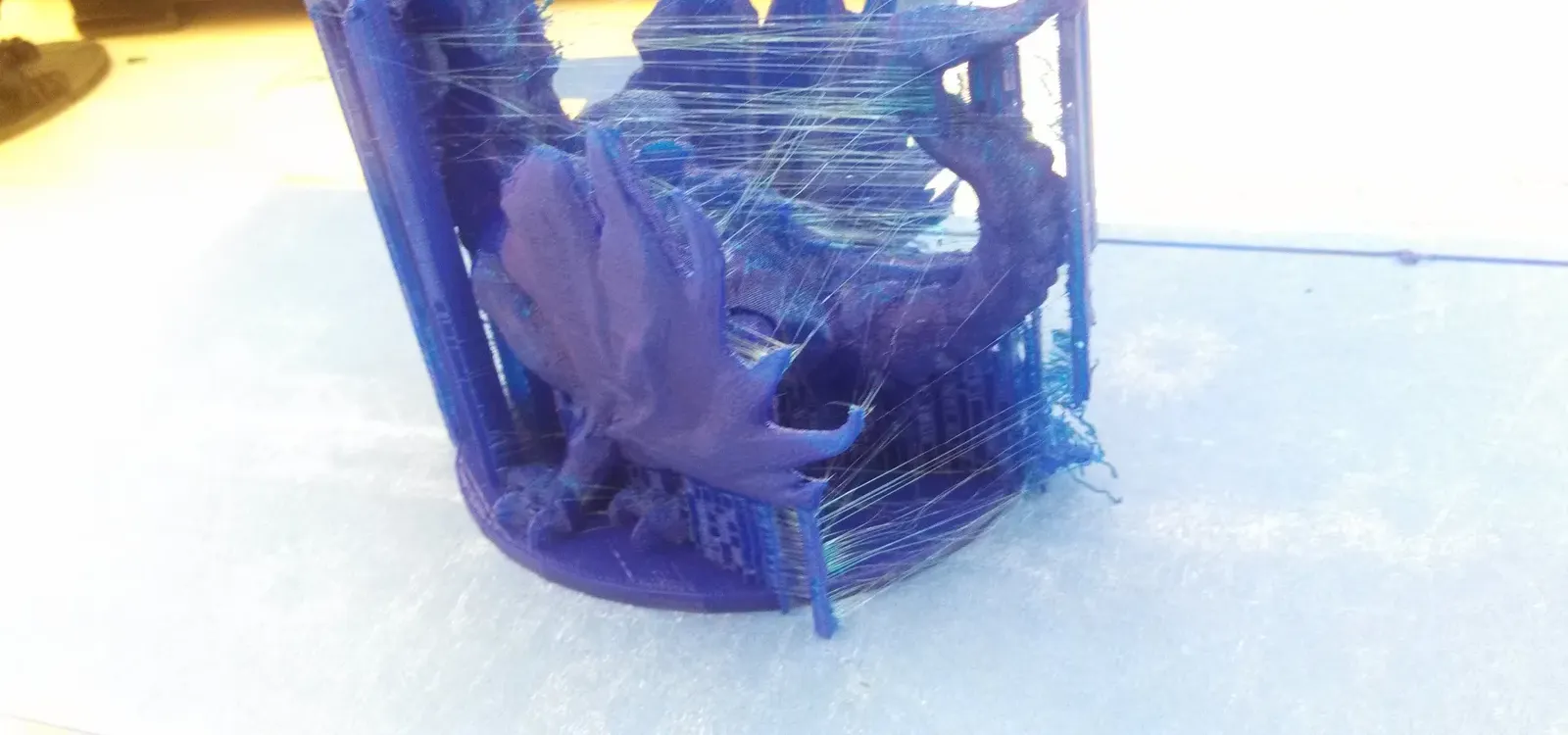
Why: the nozzle oozes a little molten plastic as it travels between features. Damp filament makes it much worse.
How we prevent it: we dry filament before printing, and any stray strings are cleaned off in the final check.
Printing it yourself? Keep spools dry: a spool that pops and strings has taken on moisture, so dry it or replace it from our filament range. Then, in the slicer (the software that turns a model into printer moves), increase retraction (how far the filament is pulled back between moves), lower the nozzle temperature slightly and speed up the moves between features.
Top half shifted sideways (layer shift)
What it looks like: everything above a certain height sits offset to one side, as if the top half slid across.

Why: the print head lost its position mid-print: a loose belt, a skipped motor step, or the nozzle catching on a curled edge.
How we catch it: a shift shows up in the final check, and the part is reprinted.
Printing it yourself? Check belt tension, make sure the axes move freely, and lower speed and acceleration for tall parts. A shift can’t be fixed afterwards, so run a short test before a long job.
Rough patches left by supports
What it looks like: small nubs or rough patches where supports touched the part. Resin prints get them too.
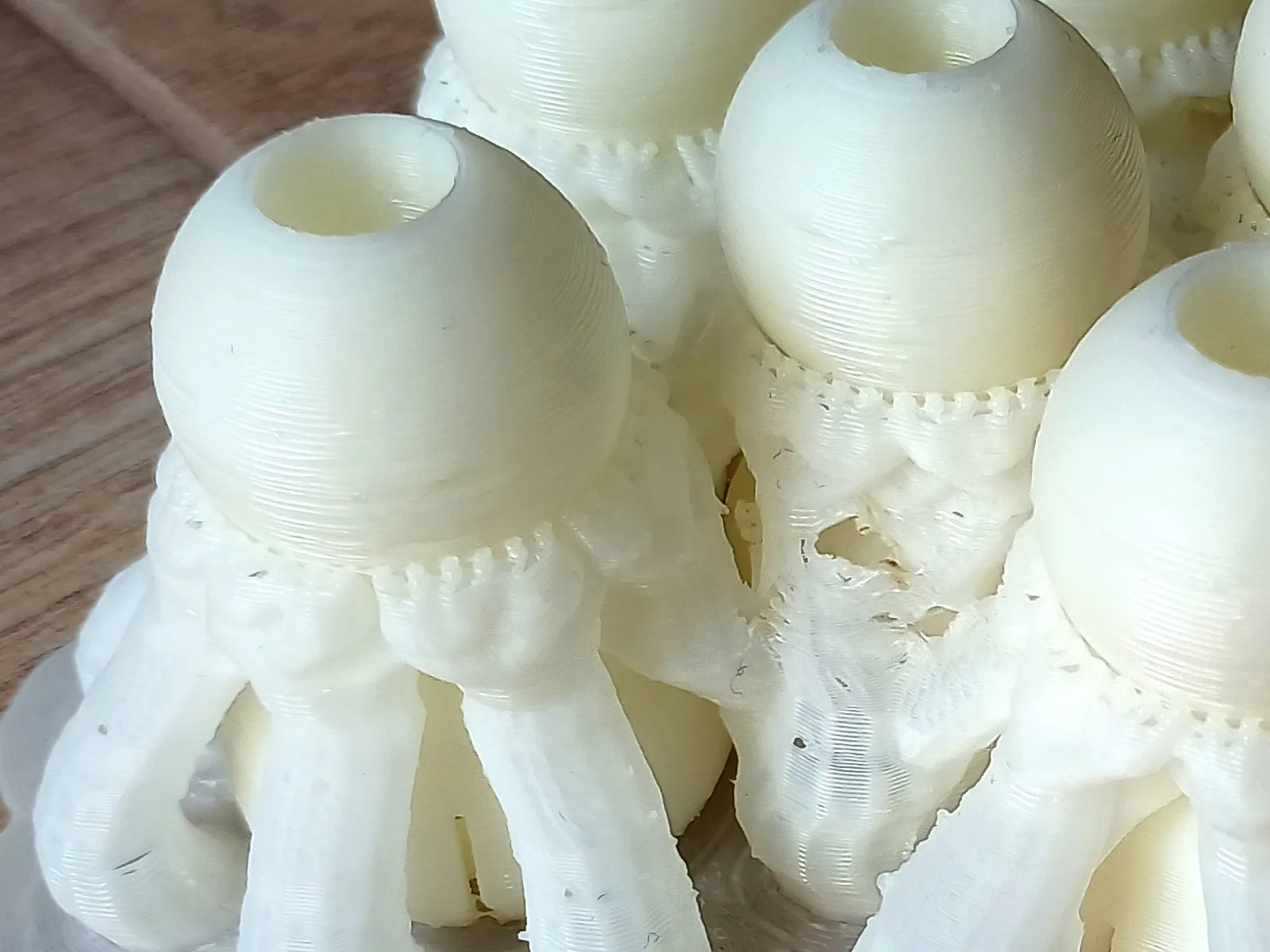
Why: supports have to bond to the part to hold overhangs up, so removing them always leaves a trace.
How we prevent it: tell us in the quote notes which faces show, and we orient the part so supports land elsewhere where the shape allows; then filling and sanding takes care of the rest when the surface matters.
Printing it yourself? Use fewer, finer support contact points, put them on hidden faces, and sand the marks off afterwards.
Visible lines on the surface (layer lines)
What it looks like: fine horizontal ridges across every face, most visible on curves and sloping tops.
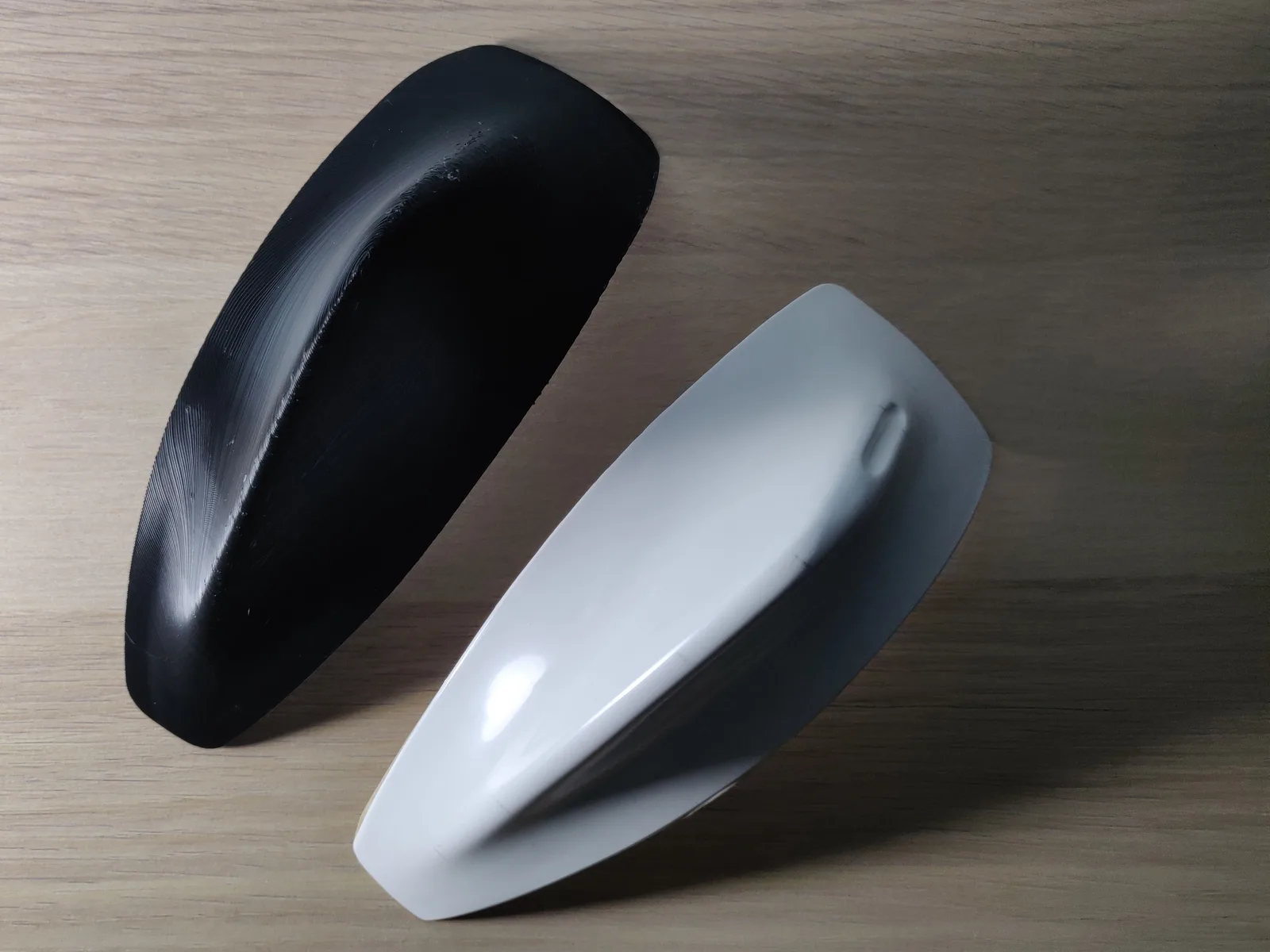
Why: a filament print is built in layers, usually 0.2 mm each, and each one shows at the edge. It is the nature of the process, not a fault.
How we finish it: a finer layer height makes them smaller, and filling and sanding softens them a great deal where the look matters, ready for paint or a clear coat. Under gloss, a faint trace can still show.
Printing it yourself? Drop the layer height, 0.12 mm instead of 0.2 mm, and accept the longer print; sand and prime for anything that will be painted.
Resin prints (stereolithography, SLA)
Resin printing (SLA) cures liquid resin with light, so its problems are about supports, cure and size rather than heat.
Print failed halfway (torn supports)
What it looks like: only part of the model on the build plate, and a sheet of cured resin left in the tank.

Why: the supports were too sparse or too thin for the part’s weight, so it tore away mid-print.
How we prevent it: a person checks every file before it prints and flags parts likely to tear away.
Printing it yourself? Add more and thicker supports under heavy or flat areas, clear any cured bits out of the tank, and check the clear film in the bottom of the tank for damage before the next print.
Sticky or soft surface (under-cured)
What it looks like: the part feels sticky or soft, even once it is off the build plate.
Why: resin parts come off the printer only partly cured. Full strength comes from washing off the uncured resin, then UV post-curing.
How we prevent it: every resin part is washed and fully UV-cured before it reaches you.
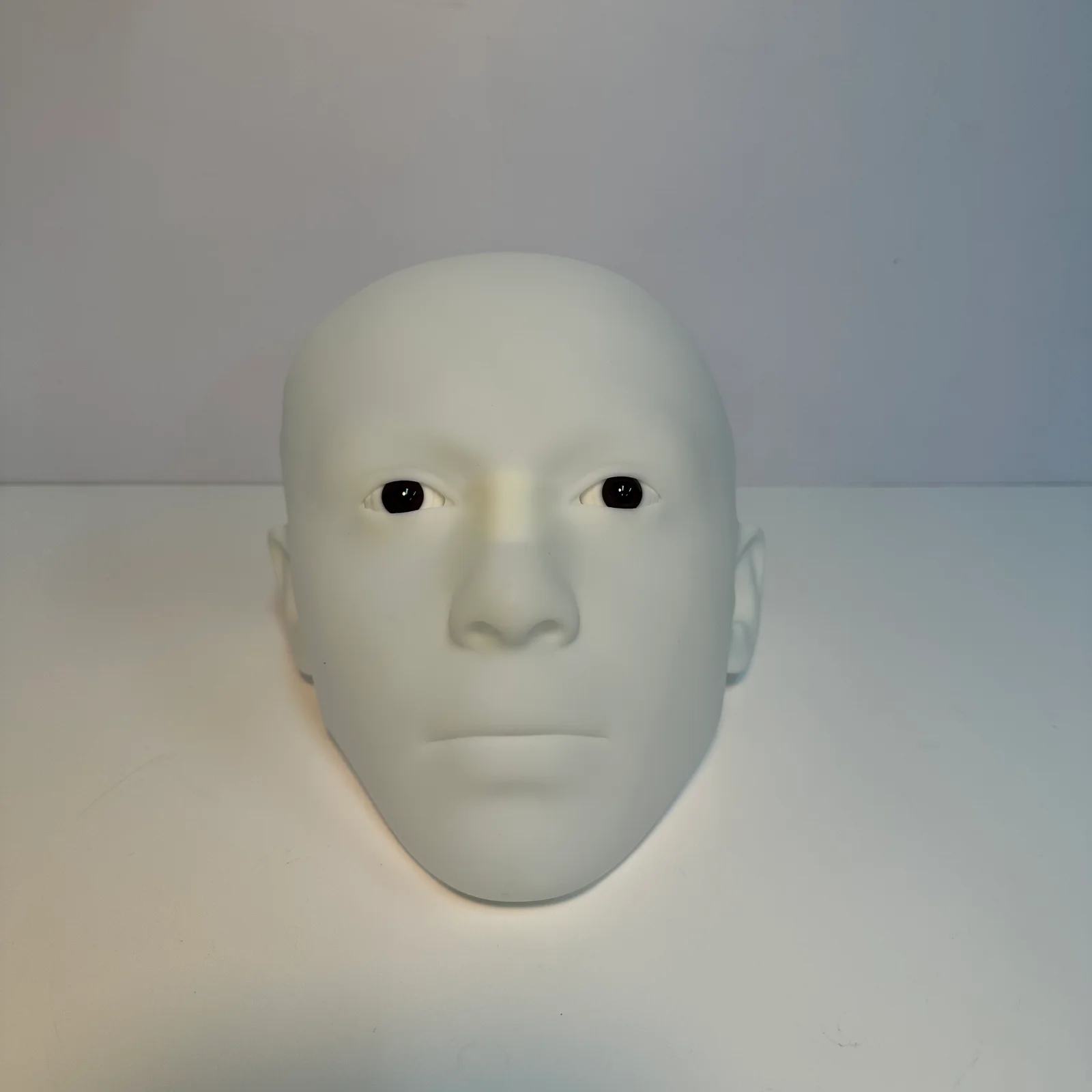
Printing it yourself? Wash thoroughly, let the part dry, then UV-cure it for the time the resin maker gives.
Wrong size or slightly bent (shrinkage)
What it looks like: the part comes out a little smaller than the 3D model, or bent, sometimes in just one direction.

Why: resin shrinks slightly as it cures, on the printer and again during post-cure, and thin or long features shrink more than bulky ones.
How we prevent it: a person checks every file before it prints and flags any dimension you mark as critical, so it is looked at before printing rather than found out afterwards.
Printing it yourself? Calibrate the exposure (how long each layer is cured) for your resin, angle long parts on the plate, and adjust critical features after a test print.
Cracks, splits or snaps
What it looks like: layers that split apart, a part that snaps cleanly under load, or a crack that appears days later.
Why: split layers usually mean each layer was cured too briefly on the printer (under-exposure). A clean snap is standard resin being brittle, or a part cured too long. A crack days later is often resin trapped inside a hollow part.
How we prevent it: we match the resin to the job (tough resin for parts that bend, clip or take knocks), flag a hollow part that needs drain holes when we check the file, and suggest nylon powder or filament when resin is the wrong choice.
Printing it yourself? Cure for the time the resin maker gives, not longer, add drain holes to hollow parts and wash inside them, thicken thin sections, and use a tough resin for anything that has to flex.
Nylon powder prints (SLS and MJF)
Selective laser sintering (SLS) and Multi Jet Fusion (MJF) both fuse PA12 or PA11 nylon powder layer by layer, in grey, black or white. SLS melts each layer with a laser; MJF prints a fusing liquid where the part goes, then heats the whole layer. The loose powder holds the part up, so neither needs supports and there are no support marks.
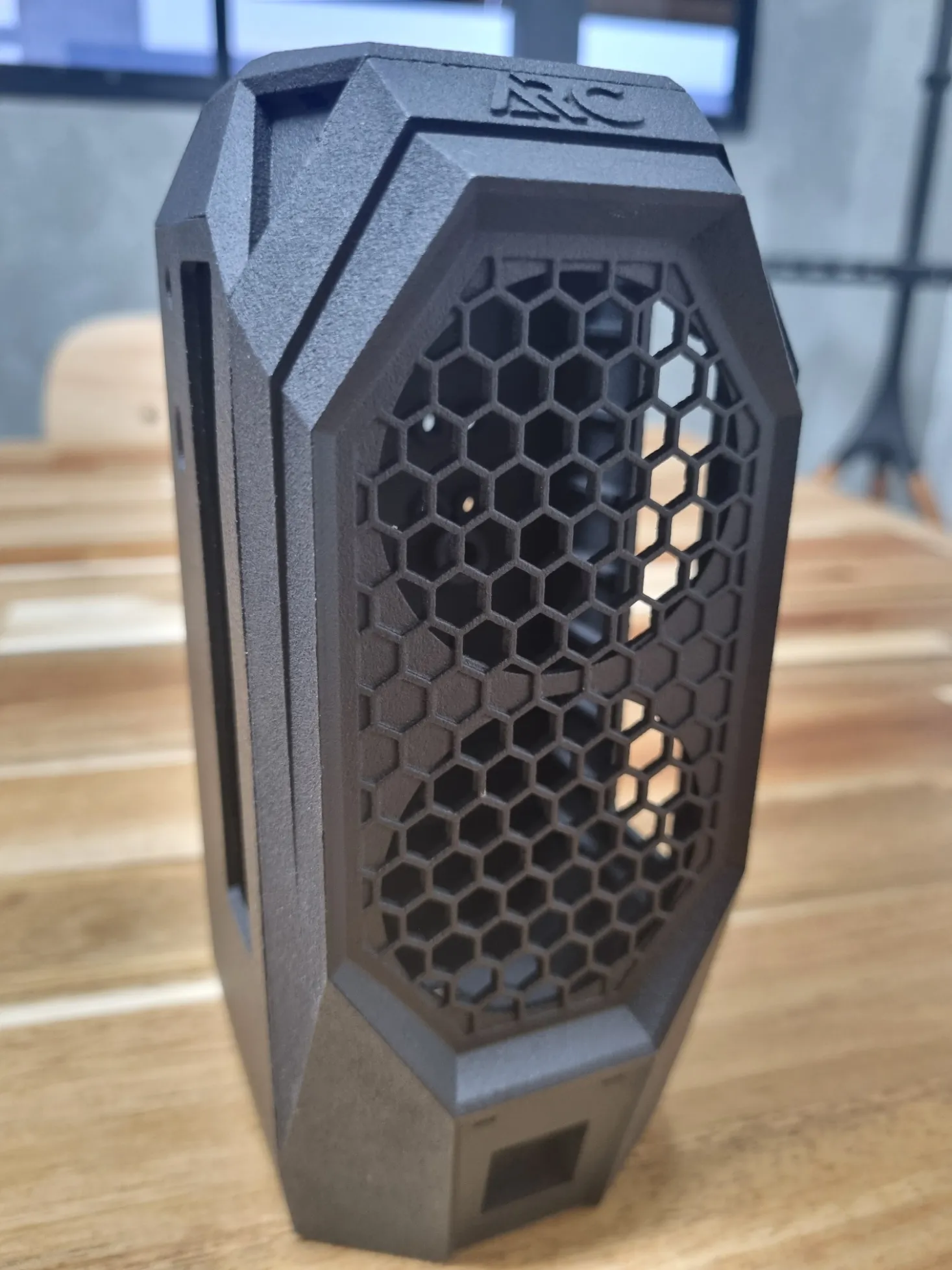
The two are not identical. MJF holds finer detail than SLS, and every part comes out like the last, which is what a batch of working parts needs. SLS is the cheaper pick for one or two. The problems below happen in both, and the design fixes are the same, so we pick whichever process suits the part. These are industrial machines and we don’t rent them, so each fix below is in the design.
Flat panels curling at the edges
What it looks like: a large, thin, flat panel comes out bowed or curled at the edges.

Why: the part cools slowly inside the powder, and a big flat area shrinks unevenly as it does.
How we prevent it: we flag large flat panels when we check the file, and orient the part to reduce it.
In the design: keep wall thickness even and add ribs (thin stiffening walls) behind large flat faces.
Powder trapped inside a hollow part
What it looks like: a hollow part comes out heavy, and powder pours out when you tilt it.

Why: a fully closed cavity gives the loose powder no way out.
How we prevent it: we check hollow parts for escape holes before they print.
In the design: add at least two holes, about 5 mm across, at opposite ends, and more or larger ones for a big cavity.
Thin walls or pins snapping off
What it looks like: a thin wall, pin or tab snaps off during cleaning or the first time it is used.
Why: nylon is tough, but a very thin feature doesn’t have enough material to survive powder removal.
How we prevent it: we flag features that look too thin when you order.
In the design: thicken thin walls and small pins, or add a fillet (a rounded corner) where they meet the part.
Grainy, matte surface (SLS and MJF)
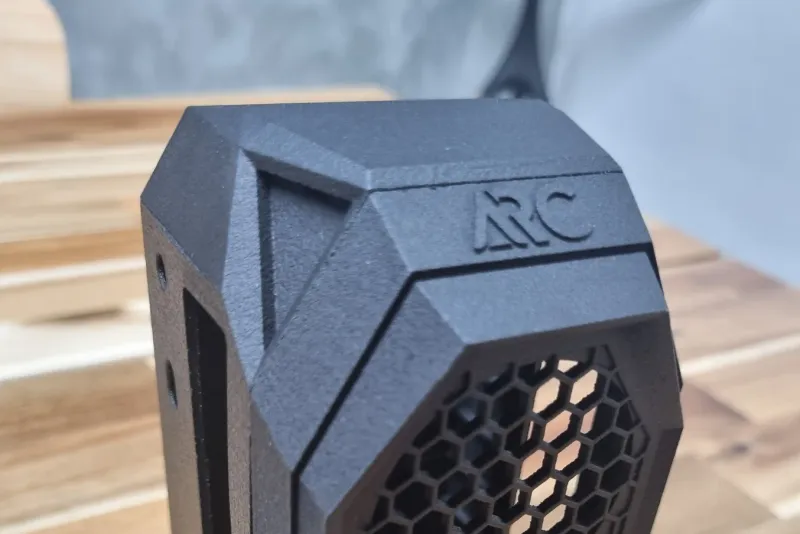
What it looks like: a matte, slightly grainy surface in grey, black or white, not the smooth face of a resin print, as on the Arc case above. MJF holds finer detail than SLS, but its faces carry the grain too.
Why: that is how fused powder comes out, in SLS and MJF alike. It is the nature of the process, not a fault.
How we finish it: parts are blasted clean with fine beads, and can be dyed black, smoothed or painted when the look matters.
Metal prints (selective laser melting, SLM)
Metal printing by selective laser melting (SLM) melts fine metal powder with a laser, layer by layer, in stainless steel, aluminium or titanium. Nobody prints metal at home, so there are no do-it-yourself fixes here: each problem is prevented in the design and in how we print and finish the part.
Flat plates that warp or lift
What it looks like: a large flat plate or thin panel curls up at the edges, or comes off the machine bent.

Why: each layer is melted, then cools fast and shrinks. Across a big flat area that shrinking adds up and pulls the part out of shape, and a thick section beside a thin one makes it worse.
How we prevent it: we stand a thin plate on edge rather than flat where the shape allows and hold it to the build plate with supports, so it keeps its shape until the supports come off.
In the design: keep thickness even and stiffen a panel with ribs; the design fix for warped plates shows how.
Rough undersides where supports were cut off
What it looks like: the underside of a ledge or a flat ceiling is dull, rough or stepped, with marks where supports were cut away.

Why: each layer can only reach a little past the one below it. A face flatter than that needs supports, metal scaffolding printed with the part and cut off afterwards, and the face they touched always comes out rougher than the rest.
How we prevent it: we stand the part so faces that show are within 45 degrees of vertical, or 35 degrees for 316L stainless steel, and put supports on the faces you won’t see. Tell us which faces must stay clean. A face that must fit is printed with 0.5 mm extra and machined, which takes the marks off with it.
In the design: a chamfer under a ledge, or a peak instead of a flat ceiling, lets the part build itself; see overhangs that need supports.
Sideways holes that sag
What it looks like: a hole running sideways through the part comes out with a rough, drooping top, more pear than circle.

Why: the top of a sideways hole is a small ceiling with only loose powder under it. A small circle closes over before it can sag; a bigger one has too much roof with nothing holding it up.
How we prevent it: a person checks every file before it prints and flags round sideways holes over 6 mm. Those are drawn as a teardrop (a round hole with a point at the top), or, if the hole must be an exact size, printed with 0.5 mm extra and machined to size.
In the design: the teardrop shape and the smallest holes are in sideways holes that sag.
Powder left inside a hollow part
What it looks like: a hollow part rattles, weighs more than it should, or keeps shedding fine grey powder from a channel.

Why: every closed space fills with loose metal powder as the part prints, and powder can only leave through a hole.
How we prevent it: a person checks every file before it prints and tells you if a cavity is sealed. Each closed cavity needs two or more powder holes of 5 mm, ideally at opposite ends, and the powder is cleared out through them before the part leaves us.
In the design: where to put the holes is in powder trapped in hollow parts.
Rough, grainy surface as printed
What it looks like: a dull grey, slightly rough, sandy surface, nothing like the face of a machined part.
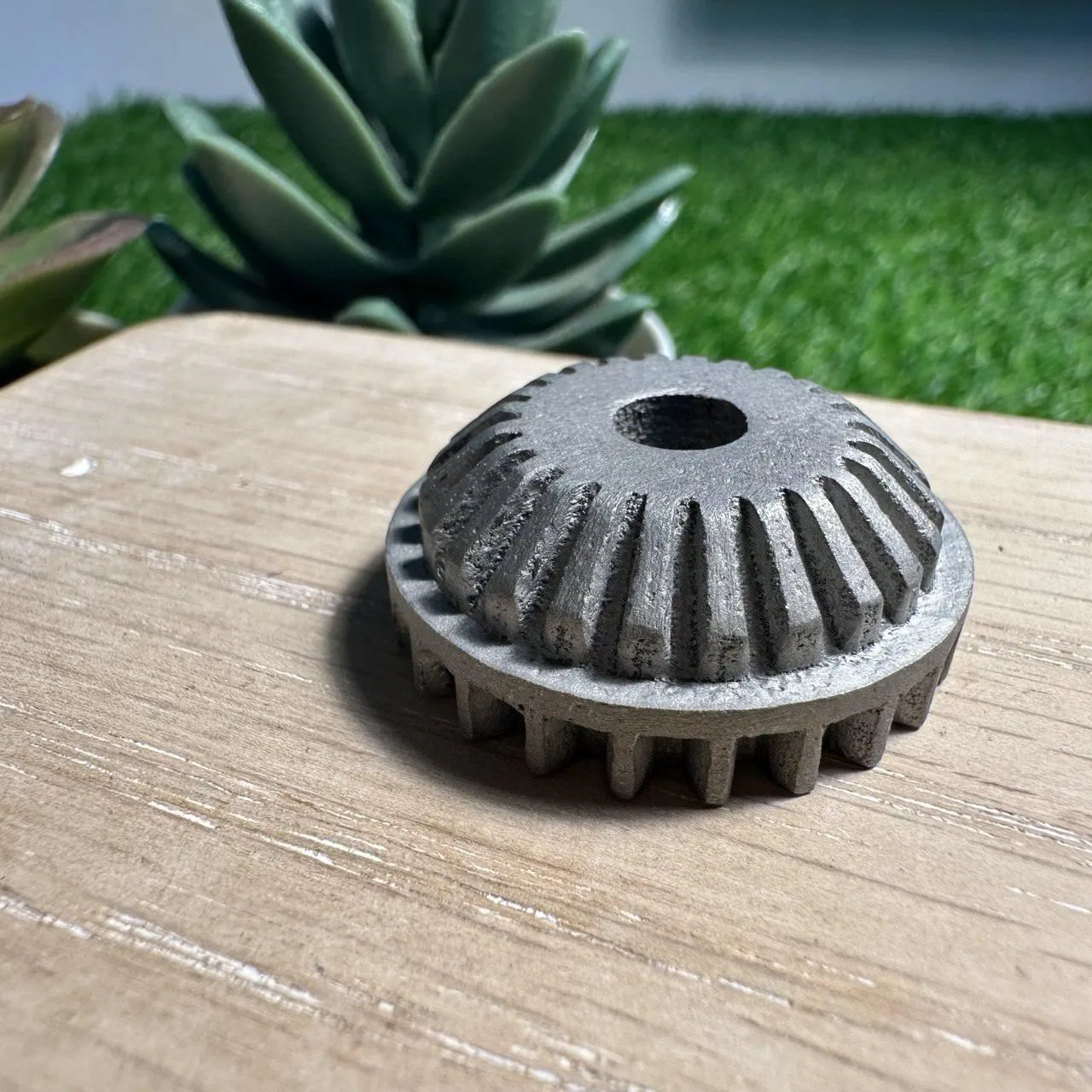
Why: the part is built from fused metal powder, and fine grains stick to its faces as each layer melts. That is the nature of the process, not a fault.
How we finish it: parts are bead-blasted (blasted with fine beads) for an even matte surface, or polished where the look matters, and faces that must fit are printed with 0.5 mm extra and machined to size. The choices are in metal finishes for 3D prints.
Defects in the design
Some defects start in the file, not the printer: a wall thinner than the nozzle, a bridge too long to span, an overhang with nothing under it. Others stop a file printing at all, such as a hole in the mesh or faces pointing the wrong way: why your 3D file won’t slice covers those. On a filament print, four rules catch most of them:
- Walls: at least 1.2 mm (0.8 mm on small parts), and 2 mm or more for parts that are handled or glued.
- Overhangs: within 45 degrees of vertical, or they need supports.
- Lettering: strokes at least 0.6 mm wide.
- Fits: 0.2 mm of clearance on each side for a push fit, 0.5 mm on each side for parts that move.
Each process has its own guide to the defects that start in the design, with the change to make in the model: filament, resin, nylon SLS and MJF and metal. Before you order, our guide to sending your 3D files covers the file checks.
Photo credits. Print that came off the bed: EwkaC, CC BY-SA 4.0, via Wikimedia Commons. Stringing: SuperBlobMonster, CC BY-SA 3.0, via Wikimedia Commons, cropped. Parts on their supports: A7N8X, CC BY-SA 4.0, via Wikimedia Commons, cropped. Top photo: SuperBlobMonster, CC BY-SA 3.0, via Wikimedia Commons, cropped.


Frequently asked
What is the most common problem with 3D printed models?
The most common problem on a filament print made by fused deposition modeling (FDM) is a first layer that doesn't stick, because if it lifts, everything printed on top can warp or shift. For a resin print made by stereolithography (SLA), it is supports too sparse for the part, so it tears away mid-print. For nylon printed by selective laser sintering (SLS) or Multi Jet Fusion (MJF), it is large, thin, flat areas curling as the part cools. For metal made by selective laser melting (SLM), it is a flat plate warping as it cools.
How do I stop my 3D prints from warping?
To stop a filament print warping, use a heated bed, a brim round the base, slow first layers and no draughts. ABS and ASA, the tougher filaments, need an enclosed printer. In the model, round the corners of large flat bases. On nylon and metal prints, warping is prevented in the design, with even wall thickness and ribs behind large flat faces.
Why is my 3D print stringy?
A 3D print is stringy because the nozzle oozes a little molten plastic as it travels between features, and damp filament makes it far worse. Dry the spool, increase retraction in the slicer and lower the nozzle temperature a touch.
Are layer lines a defect?
Layer lines are not a defect, because a filament print is built in layers, usually 0.2 mm each, and the fine ridges they leave are the nature of the process. A lower layer height softens them, and filling and sanding takes them down to a smooth surface where the look matters.
Why is my resin print still sticky?
A sticky resin print isn't fully cured. Resin parts come off the printer only partly cured, so wash off the uncured resin, let the part dry, then UV-cure it for the time the resin maker gives. Every resin part we supply is washed and fully cured before it reaches you.
Do nylon SLS and MJF prints have problems too?
Nylon prints made by selective laser sintering (SLS) or Multi Jet Fusion (MJF) have four common problems: large thin flat areas that curl, powder trapped in closed hollow parts, thin features that snap, and a matte, slightly grainy surface. Neither process needs supports, so there are no support marks. A closed cavity needs two or more 5 mm escape holes at opposite ends. MJF holds finer detail than SLS and suits batches; SLS is the cheaper pick for one or two parts. Most of it is solved in the design.
What goes wrong with metal 3D prints?
Five problems cause most metal 3D print faults: flat plates that warp, rough undersides where supports were cut off, sideways holes that sag, powder left inside hollow parts, and a rough, grainy surface as printed. Most are prevented in the design and in how the part stands on the machine: faces within 45 degrees of vertical (35 for 316L stainless steel), round sideways holes no bigger than 6 mm (a teardrop above that), and two or more 5 mm powder holes in every closed cavity.
Why is a metal 3D print rough, and can it be made smooth?
A metal part printed by selective laser melting (SLM) comes off the machine slightly rough and grainy, because it is built from fused metal powder. That is the nature of the process, not a fault. We bead-blast or polish it where the look matters, and a face that must fit is printed with 0.5 mm extra and machined to size.
How can I tell if my file will print without problems?
To tell if a filament print will work, check four things: walls at least 1.2 mm thick, 0.8 mm on small parts (2 mm or more for parts that are handled or glued), overhangs within 45 degrees, lettering strokes at least 0.6 mm wide, and 0.2 mm of clearance on each side for a push fit or 0.5 mm for moving parts. When you order from us, a person checks every file before it prints and flags anything likely to fail. The figures for resin, nylon and metal sit side by side in our design rules guide.
What if a part you printed for me arrives with a defect?
If a part we printed arrives with a defect, tell us, with a photo if you can, and we typically reprint it free. Each case is looked at on its own.
Why do resin parts come out the wrong size?
Resin shrinks slightly as it cures, on the printer and again during UV post-cure, and thin or long features shrink more than bulky ones. If a part has to fit something, tell us the critical dimensions when you order so they can be allowed for before it prints.
Can warping, stringing or support marks be fixed after printing?
Some print defects can be fixed after printing, but not all. Strings can be trimmed or heat-cleaned off, support marks sanded or filled, and light warping can sometimes be corrected with heat and clamping. Layer shifts and severe warping can't be fixed and need a reprint, which is why preventing the cause matters more than repairing the result.
Related
-
 GuideWhich filament (FDM) print defects can you fix in the design?
 -
 GuideWhich nylon powder (SLS and MJF) print problems can you fix in the design?
 -
 GuideWhich metal 3D printing defects can you fix in the design?
 -
 ServiceIndustrial 3D Printing
 -
 ServiceSLS 3D Printing
 -
 ServiceMetal 3D Printing
 -
 ProjectYamaha bike body panels
 -
 ProjectElectronic parts holding jig for Sanwa Intec
 -
 ProjectDecibel meter enclosure prototype