

What is an STL file, and how do you open one?
An STL file is a 3D model made of flat triangles, with no colour and no units. How to open one for free, STL against 3MF, OBJ and STEP, and common faults.
Look inside your STL file
Open an STL and turn it round. It shows the size, the triangle count, the volume and whether the shape is sealed.
Opening the 3D view…
Drag to turn. Scroll or pinch to zoom. Right-drag or use two fingers to move the view.
- Size
- X × Y × Z. The numbers in an STL are read as millimetres.
- Triangles
- File type
- Volume
- Closed mesh
This tool only reads the file. It does not repair it.
Your file stays on your device.
An STL file is a 3D model saved as a skin of flat triangles. It holds the shape and nothing else: no colour, no units, no record of how it was drawn. It is widely used for 3D printing and slicers read it, which is why it is the file most people send.
STL, 3MF, OBJ and STEP side by side
| Format | What is inside | Pick it when |
|---|---|---|
| STL | Triangles only. No colour, no units | The part is one colour and prints as drawn |
| 3MF | Triangles, plus units, colours and materials | The part has more than one colour, or the size must not be misread |
| OBJ | Triangles or other flat faces. Colour sits in a separate material file. No units | The model was made in an animation program, or carries a texture |
| STEP | Usually an exact CAD solid with true curves | You want the design changed |
- Colour in an STL is not part of the format. A few programs squeeze it in their own way, and at least two of those ways disagree with each other.
- Units are the big difference. An STL or OBJ gives bare numbers, and whoever opens the file decides they are millimetres.
What is inside an STL file
An STL file is a list of triangles. Each one is three corner points and a direction that says which side is outside. The model is that surface and nothing behind it.
The text version of one triangle looks like this:
solid example
facet normal 0 0 1
 outer loop
  vertex 0 0 0
  vertex 10 0 0
  vertex 0 10 0
 endloop
endfacet
endsolid example
The corners are 10 apart. Ten what? The file does not say.
Binary files are the smaller kind: an 80-byte header, a count of triangles, then 50 bytes for each triangle. The format dates from 1987 and was made for the first commercial 3D printers of 3D Systems.
Open an STL file for free
- A slicer. This is the program that cuts a model into layers for the printer. PrusaSlicer is free and open source, and puts the model on the build plate. Look through its layer-by-layer preview before you trust a file.
- MeshLab. An open-source program for editing, cleaning and inspecting triangle meshes, with features for preparing models for 3D printing.
- Blender. It opens an STL through File, Import/Export, STL. It has a setting to scale the import, so you can fix the size on the way in.
- A browser viewer. Online 3D Viewer, at 3dviewer.net, is free and open source and runs in your browser. It reads STL, 3MF, OBJ and STEP.
- Windows 3D Viewer. It came with Windows 10, but Microsoft removed it from the Microsoft Store on 1 July 2026 and points to the Babylon.js Sandbox for viewing 3D content. Windows Central reported that copies already installed keep working but get no updates, so do not count on it.
A viewer shows the shape. It does not tell you the file will print. For that, look at the sliced preview, or send it to us.
The size is a bare number
Because an STL has no units, the same file is 25 mm in one program and 25 inches in another. Whoever sets up the print has to pick, and a wrong pick shows up as a part that is far too small or far too big. We read every number in an STL as a millimetre, so export in millimetres.
Write the part’s overall size in your message. “About 120 mm long” lets a person spot a scale error at a glance. Our guide to exporting and sending a 3D file has the full checklist.
Holes, flipped faces and rough curves
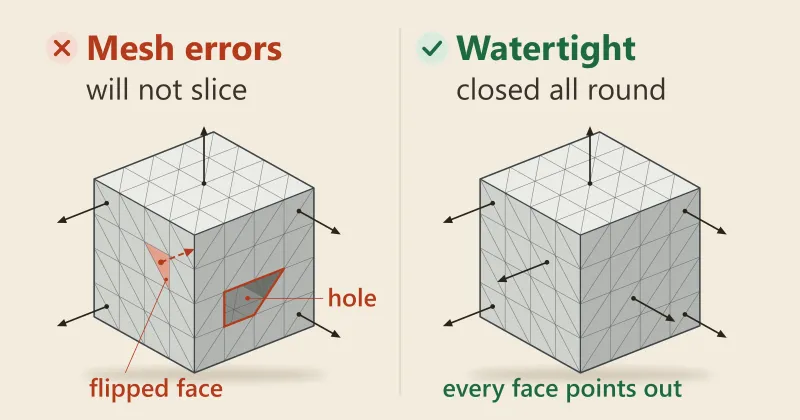
A printable STL is sealed all round, with every edge shared by exactly two triangles. The format does not enforce that, so faults get in.
- A hole. A missing triangle, or a gap where two surfaces almost meet. The slicer needs closed outlines in every layer, and a gap breaks them.
- A flipped face. A triangle whose outside points inwards. A printable file needs every outside pointing outwards.
- Rough curves. Triangles cannot draw a perfect curve. A coarse export shows flat facets on a round part.
Some software patches small faults by moving corners that sit close together, but the results are not predictable. Our guide to why a 3D file won’t slice shows how to repair each one.
Several parts, several files
Keep each part in its own STL and zip the set. A merged file cannot be priced, turned the best way up or coloured part by part.
One part made of several bodies is the exception. Join them into one body before you export, so it prints as one piece.
Export a good STL
- Choose STL in Save As or Export. Set the units to millimetres first.
- Pick the finest resolution on offer. Coarse settings are where faceted curves come from.
- Export one part per file. Blender has a Batch option that writes each object as its own STL, and a Selection Only option for a single part.
- Save binary, not text. In Blender, leave the ASCII option unticked to get a binary file.
- Look at it before you send it. Open the exported file in a slicer, not just the CAD program that made it.
No STL yet?
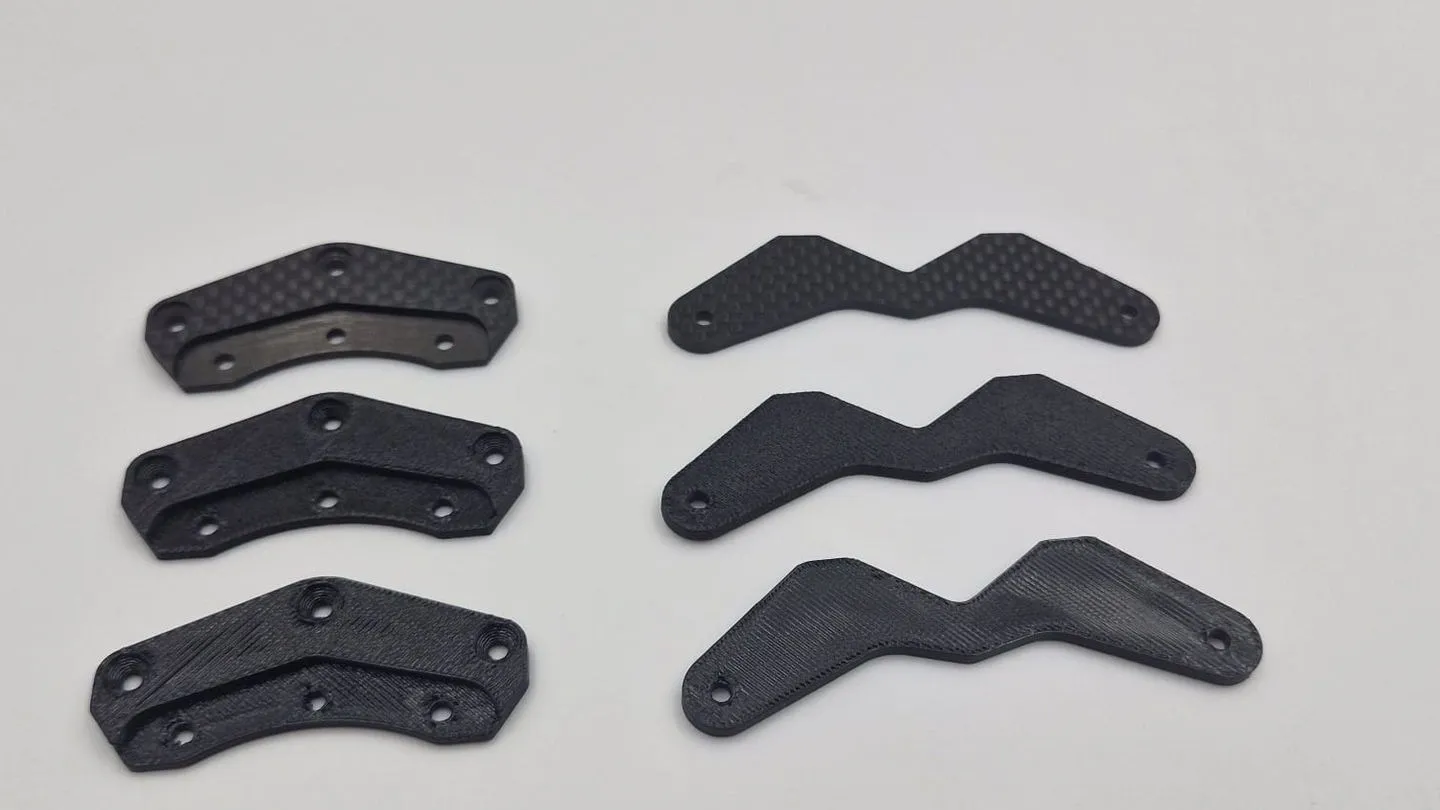
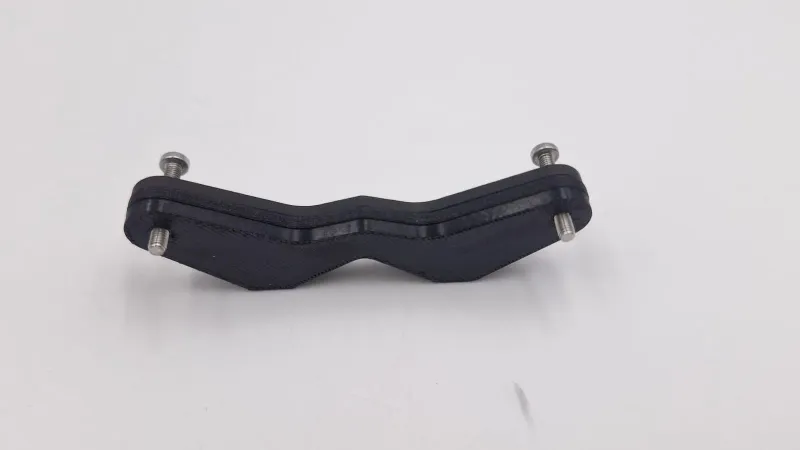
Send a sketch, a photo or the part itself, and we model it. The plates below were copied from an RC hobbyist’s carbon fibre originals: we measured them, modelled each one in CAD and set the files up for 3D printing.
If you want the design changed later, ask for the CAD file or a STEP file as well. An STL cannot be edited cleanly, and a STEP file can.
Where these facts come from
Every outside fact was read on the page named below on 19 November 2026. What we take and do comes from our own pages.
- Wikipedia, STL (file format): what an STL holds, the text and binary layouts, units, the colour variants and the closed-surface rule. Its history section is the source for 1987.
- Wikipedia, Wavefront .obj file: what OBJ holds and that it has no units.
- Wikipedia, ISO 10303 and Boundary representation: what the STEP standard is for and how it stores solids.
- 3MF Consortium, 3mf.io: units, colour and materials in 3MF.
- Blender, STL import and export manual: the menu path and the export options.
- RepRap wiki, G-code: what a slicer does.
- PrusaSlicer, MeshLab and Online 3D Viewer: what each is and what it opens.
- Microsoft, Deprecated features in the Windows client: 3D Viewer removed from the Microsoft Store on 1 July 2026. Windows Central, Microsoft deprecates 3D Viewer app: that installed copies keep working without updates (reported by Windows Central, not by Microsoft’s page).
- Paul Bourke, STL format notes: the binary layout, 80-byte header, 4-byte count and 50 bytes a facet.
Frequently asked
What does STL stand for?
STL is short for stereolithography, the process the format was made for. Some people read it as standard triangle language or standard tessellation language. It was developed in 1987 for the first commercial 3D printers of 3D Systems.
Can an STL file have colour?
Not in the standard format, which holds shape only. A few programs hide colour inside the file in their own ways, and at least two of those ways are not compatible with each other. If colour matters, send 3MF, or an OBJ with its material file.
Is 3MF better than STL?
For a printed part, mostly yes: 3MF carries units, colours and materials in one file, and STL carries none of them. STL is still the one every slicer opens, so it stays the safe default for a single-colour part. We take both, plus STEP and OBJ.
How big should an STL file be?
A binary STL takes 50 bytes a triangle plus a small header, so 100,000 triangles come to about 5 MB. Smooth curves need more triangles and a bigger file. A text (ASCII) STL is larger again for the same model. Our instant quote takes files up to 1 GB.
Can I edit an STL file?
You can push and cut the mesh in a program such as Blender or MeshLab, but changing one exact dimension cleanly needs the CAD file it came from. If you only have the STL and want the design changed, tell us and a person will look at what is possible.
Why do the curves on my print look faceted?
Triangles cannot draw a perfect curve, so a coarse export shows its flat facets. Export again at a finer resolution, or send a STEP file, which keeps the true curve. A very fine export makes a bigger file, so stop when the curves look smooth when you zoom in.
What does non-manifold mean?
Non-manifold means the triangles do not close into a sealed skin: some edge is shared by one triangle, or by three or more, instead of exactly two. A slicer may still cope with a small fault, but its patch gives results that are not predictable, so repair the file or send it to us.
Can I email you an STL?
Yes, files under 25 MB can go to sales@additiveinn.com. Anything larger goes through the instant quote, or as a Google Drive, Dropbox or WeTransfer link in an email. Write the part's overall size in your message so a person can check the scale.
Related
-
 GuideWhy won't my 3D file slice, and how do I fix it?
-
 GuideHow do I export and send a 3D file so it prints first time?
-
 GuideHow do you prepare a 3D model so it prints properly?
-
 ServiceIndustrial 3D Printing
-
 Service3D Modelling, CAD and 3D Scanning
-
 ServiceProduct Development & Prototyping
-
 Project3D printed alarm clock stand for the Google Nest Mini
-
 Project3D printed RC car bumper bracket plates
-
 Project3D printed keyboard case and plate for a private client