

How do you turn an image into a 3D model you can print?
Four ways to turn an image into a 3D model you can print: extrude a logo, an AI tool, photogrammetry, or a person modelling it. Each one's limits.
Which way turns your picture into a 3D model?
Answer what your picture shows, and you get the route that fits it.
A picture has no depth, so every route to a 3D model either adds depth or works it out. Extruding a flat logo adds it exactly. An AI tool guesses it quickly, photogrammetry works it out from many photos, and a person models it by hand. The table shows which one fits your picture.
Four ways to turn a picture into a 3D model
| Way | You start with | You get | Watch out for |
|---|---|---|---|
| Extrude a flat shape | A logo or drawing as an SVG (vector lines) | A raised or cut-out shape at exact size | Flat only: one height, no depth in the picture |
| AI image-to-3D tool | One picture of an object | A rough 3D mesh, made quickly | The sides it cannot see are its best guess, so check it before printing |
| Photogrammetry | Many photos taken round a real object | A mesh of that object | Shiny, dark or clear surfaces leave gaps |
| A person models it | Photos, a sketch or a character reference | A model built to print | Takes a person’s time, and faces come out stylised |
Extrude a flat logo or drawing
Extrusion pushes a flat outline up into a solid with a fixed cross-section. SVG (scalable vector graphics) is the usual starting file: it stores the shape as lines and curves, and design tools can import one and extrude it. Pick this for a logo on a plaque, a stencil, a cookie cutter or a raised name.
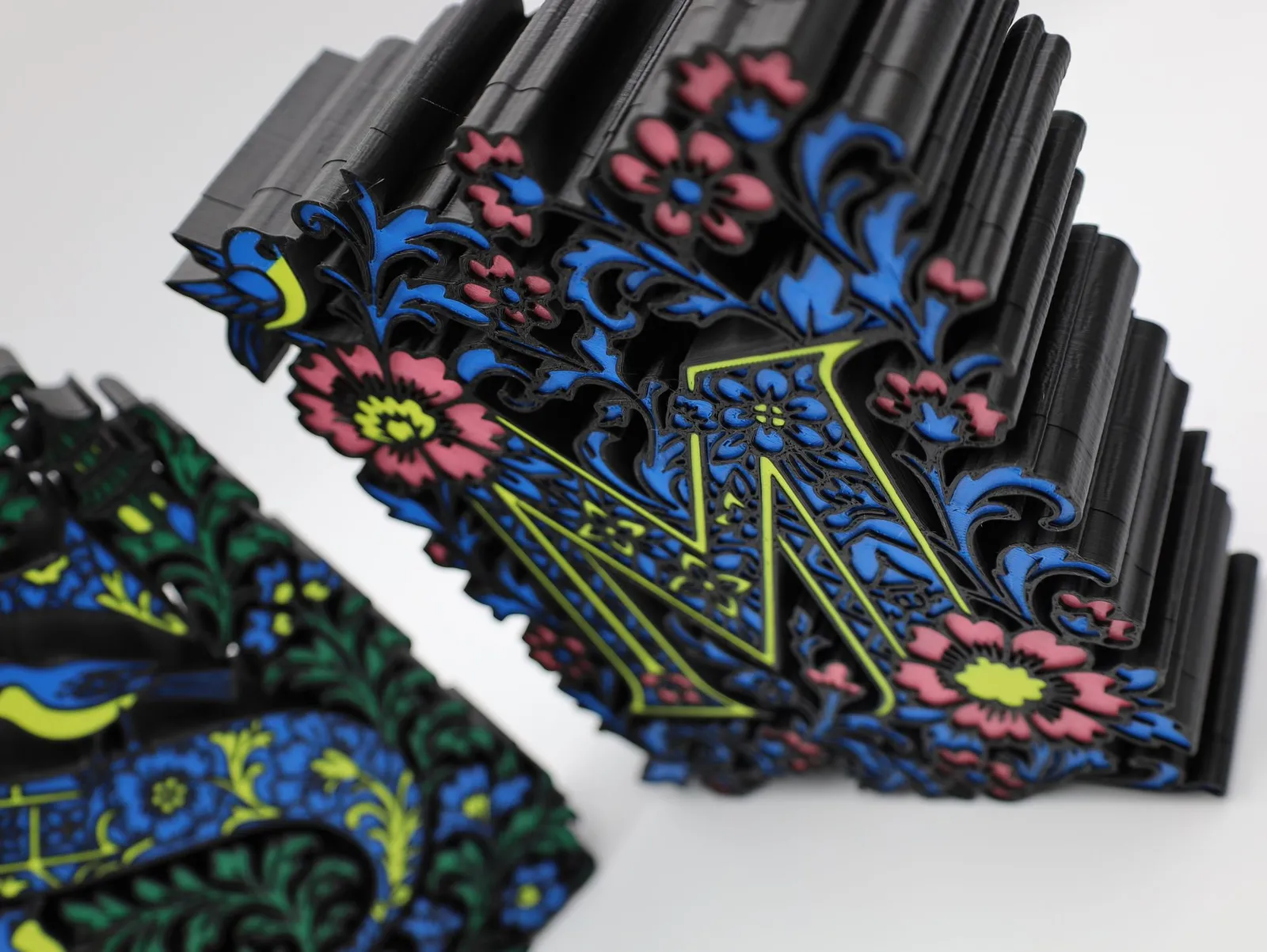
- It needs lines, not pixels. A PNG or JPG is a grid of pixels with no lines to raise.
- Fine strokes blur. On a filament part the thinnest stroke is 0.6 mm and letters need to be 5 mm tall.
- It stays flat. The shape has one height. For a face or an animal, pick another route.
A photo can also become a relief of a different kind, a lithophane, which shows its picture when lit from behind. See our guide to the lithophane. Our guide to putting a logo on a 3D print covers the file to send.
An AI image-to-3D tool
These tools take one picture and return a 3D mesh. Microsoft’s TRELLIS and Tencent’s Hunyuan3D both do it, and Stability AI says its Stable Fast 3D makes a textured mesh from a single image in 0.5 seconds. Pick this for a quick first model of a character, a toy or a prop, when exact shape does not matter.
Stability AI lists games, virtual reality and online shops as uses for its tool. Printing is a different job, so the checks are yours, or ours:
- The sides it cannot see are guessed. One view cannot show the back.
- The mesh may need repair. Our Text to 3D course teaches how to close the gaps, add a flat base and set the right size.
- Colour can become shape. In our own studio, a logo printed on a shirt came out as a bump, so Mini Me now removes printed marks from the artwork before the model is made.
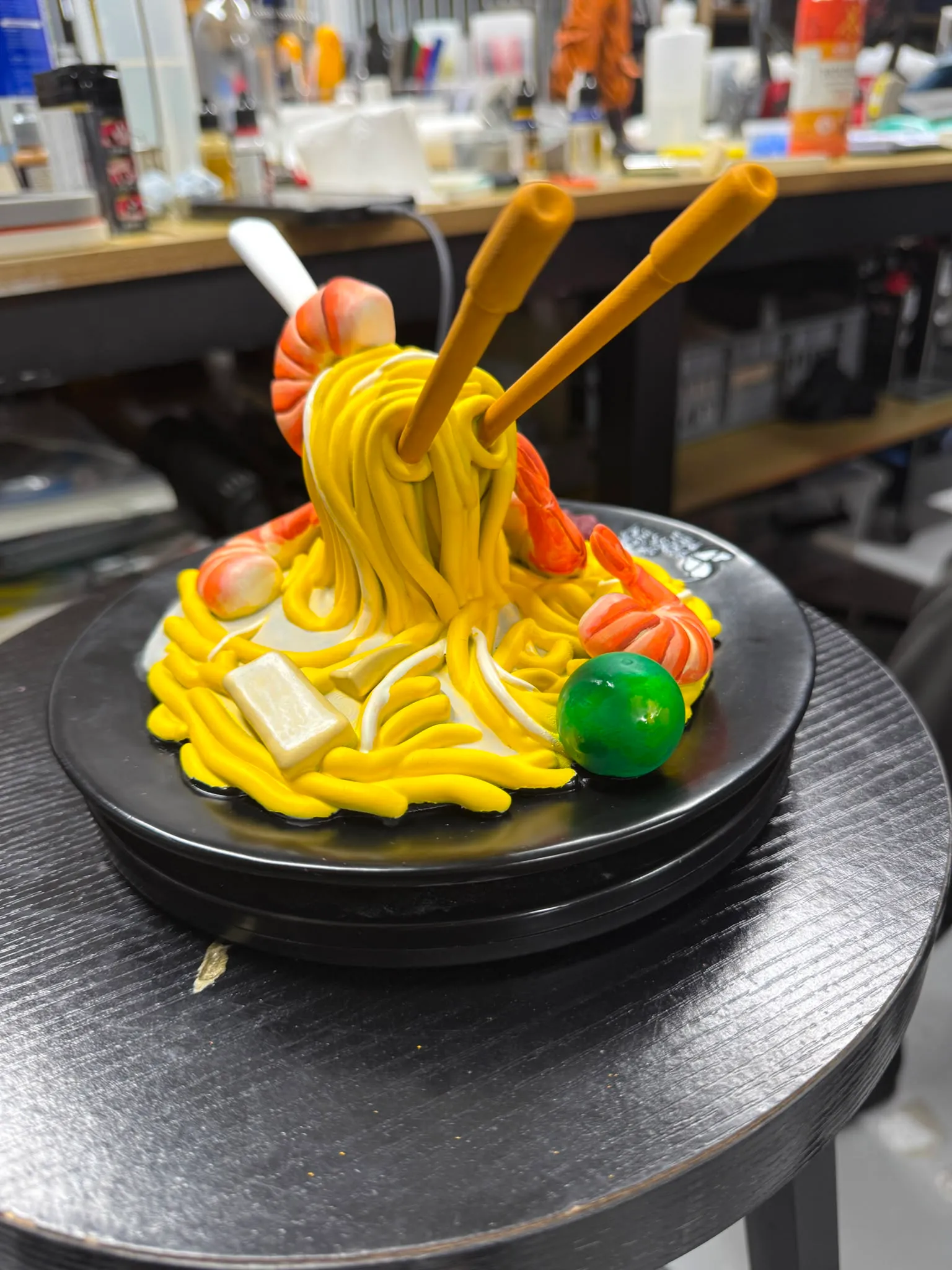
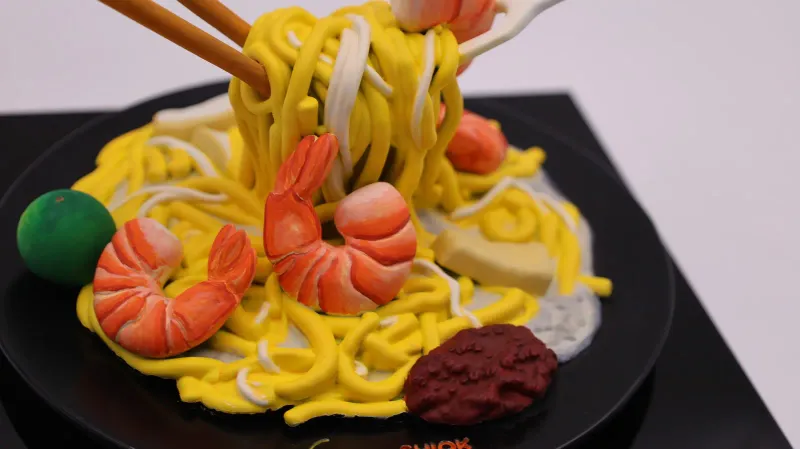
We use tools of this kind ourselves. Shiok Hokkien Mee sent us one 2D image of a plate of Hokkien mee. We made a 3D model from it with an AI-assisted process, approved the day after, then printed it in resin and airbrushed it by hand to match.
Mini Me works this way. Your photos become character artwork, then an AI image-to-3D tool makes a 3D model from the approved artwork, and you spin a 3D preview and approve it before anything prints. Faces are simplified rather than photo-real. Start in the Mini Me Studio, or see the custom figurines page.
The 2-hour Text to 3D (AI) course walks through the same workflow start to finish. It opens for booking soon, and you can register your interest.
Photogrammetry: many photos, one object
Photogrammetry measures a real object from photographs. You shoot it from every side, and software turns the overlapping photos into a mesh. Meshroom is open-source software that does this. Pick it for an object you own and cannot get a file for.
- Shooting rules matter. Even light, no flash, no moving background, and each photo overlapping the last.
- Some surfaces fail. Dark, shiny or clear surfaces often leave gaps that need cleaning.
- Cleanup is common. Gaps usually need fixing in mesh software afterwards.
We scan objects too, in a different way: at our Bendemeer workshop a handheld scanner projects a pattern of light onto the object and records its surface, which suits small and medium parts. Tell us which fit matters and we say whether a scan is accurate enough, or whether to measure and model it instead. See our 3D scanning service.
A person models it from your photos
Here a person builds the 3D model from your pictures, working for print: thickness, fit and fine parts that must not snap. It takes a person’s time. In return, a person decides each detail. Pick it for a likeness, a character or anything that must be right.
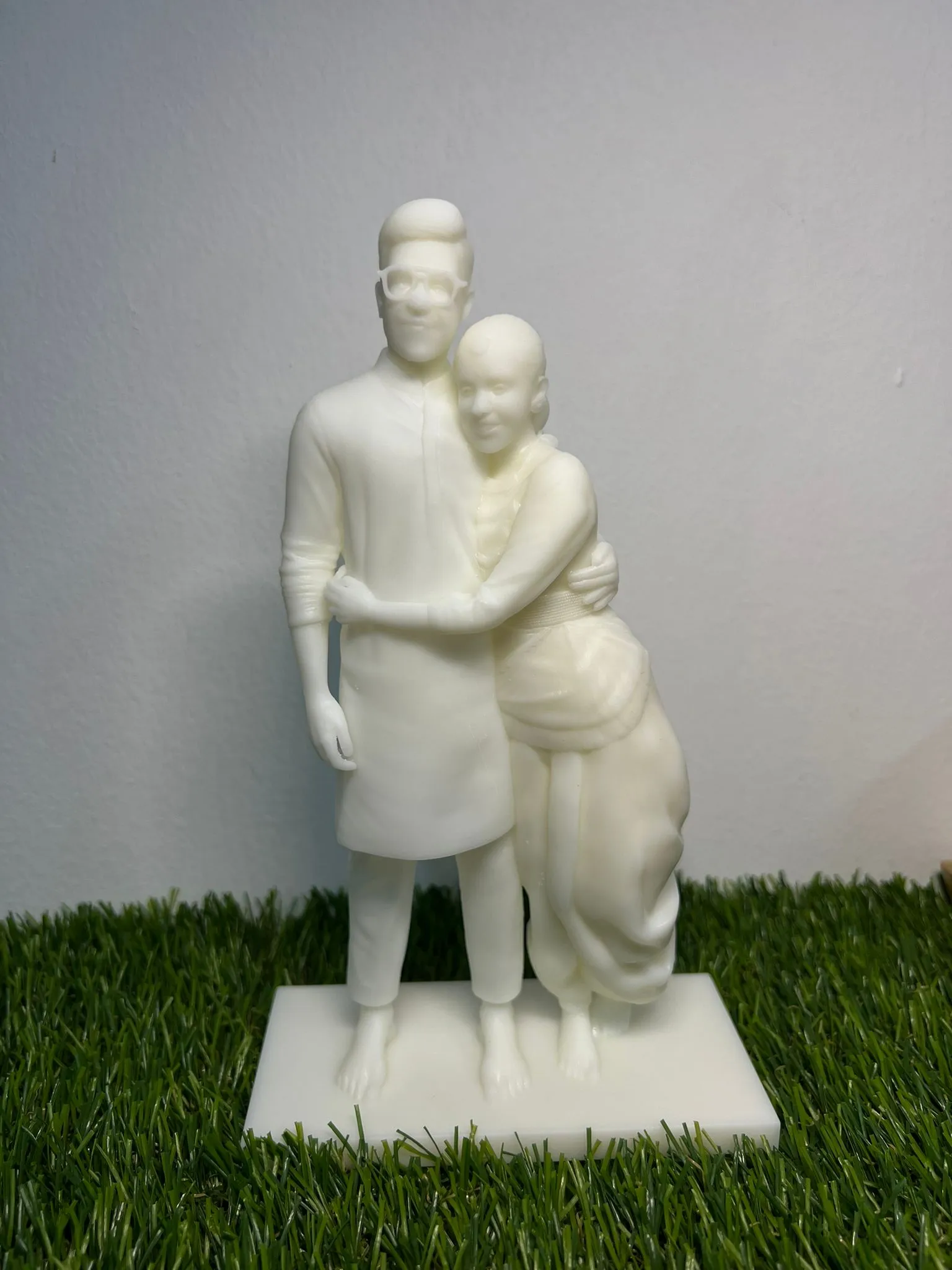
For a bespoke brief, a mascot or a batch, see our 3D figurines service. Send photos, a sketch or a character reference and we model it.
Check the mesh before it prints
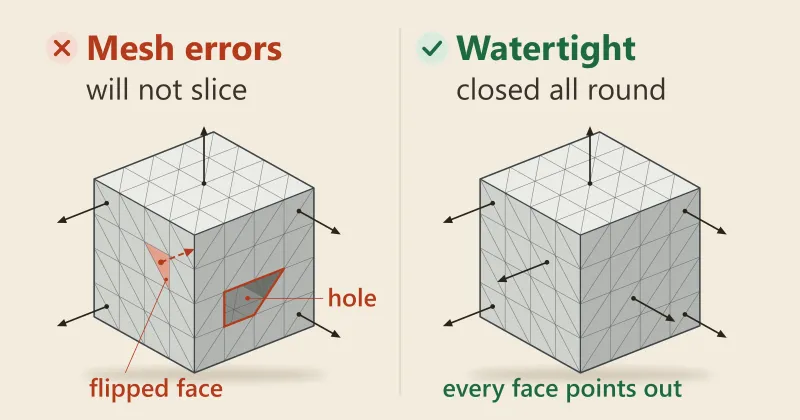
Whichever route made it, open the model in a slicer and look before you order. Our guide to the STL file shows how, and why a 3D file won’t slice shows how to fix holes and flipped faces.
Where these facts come from
Every outside fact was read on the page named below on 19 November 2026. What we make and offer comes from our own pages.
- Wikibooks, OpenSCAD User Manual: Using the 2D Subsystem: extrusion and importing an SVG to extrude.
- Wikipedia, SVG, Photogrammetry and Lithophane: the definitions, and where photogrammetry fails.
- Microsoft, TRELLIS and Tencent, Hunyuan3D-2: what the tools take and make.
- Stability AI, Stable Fast 3D and its paper: a mesh from a single image in 0.5 seconds, and what the tool is for.
- Meshroom and its capturing guide: what photogrammetry software does and how to shoot for it.
- Online 3D Viewer: the formats it reads and writes.
Frequently asked
Can I turn a JPG or PNG into a 3D model?
A flat logo can, once it is traced into vector lines and raised into a shape. A photo of an object holds no depth, so it needs an AI tool, a set of many photos, or a person. A PNG is a grid of pixels with no lines to raise, which is why the logo route starts from an SVG.
What does image to STL mean?
It means getting a printable mesh out of a picture, by any of the four routes above. The AI tools hand back a textured mesh, such as a GLB file, not an STL. A converter such as Online 3D Viewer reads glTF and OBJ files and writes STL, so the last step is a quick one.
Is an AI-made 3D model good enough to print?
Sometimes, for a rough prop. Stability AI lists games, VR and online shops as uses for its tool, and printing is not among them. So a mesh can arrive with gaps, thin parts or no flat base. A person should close the gaps, add a base and set the size before it goes to a printer.
Why does an AI 3D model show a printed logo as a bump?
AI tools can turn colour details into shapes. In our own studio a logo printed on a shirt came out raised, so in Mini Me printed marks, patterns and tattoos are removed from the artwork before the model is made, and only real thickness is kept.
How many photos does photogrammetry need?
There is no fixed number. The Meshroom manual says the more the better, shot from all angles with at least 60% overlap from side to side and 80% from front to back. Blurry, shaky or flash-lit photos make the result worse.
How thin can a raised logo be?
On a filament part the thinnest stroke that prints is 0.6 mm, letters are at least 5 mm tall and the logo stands 0.6 mm proud. Make the stroke 1.0 mm if it has to be read at arm's length. A person checks every file before it prints.
Can you 3D print a figurine of a person from a photo?
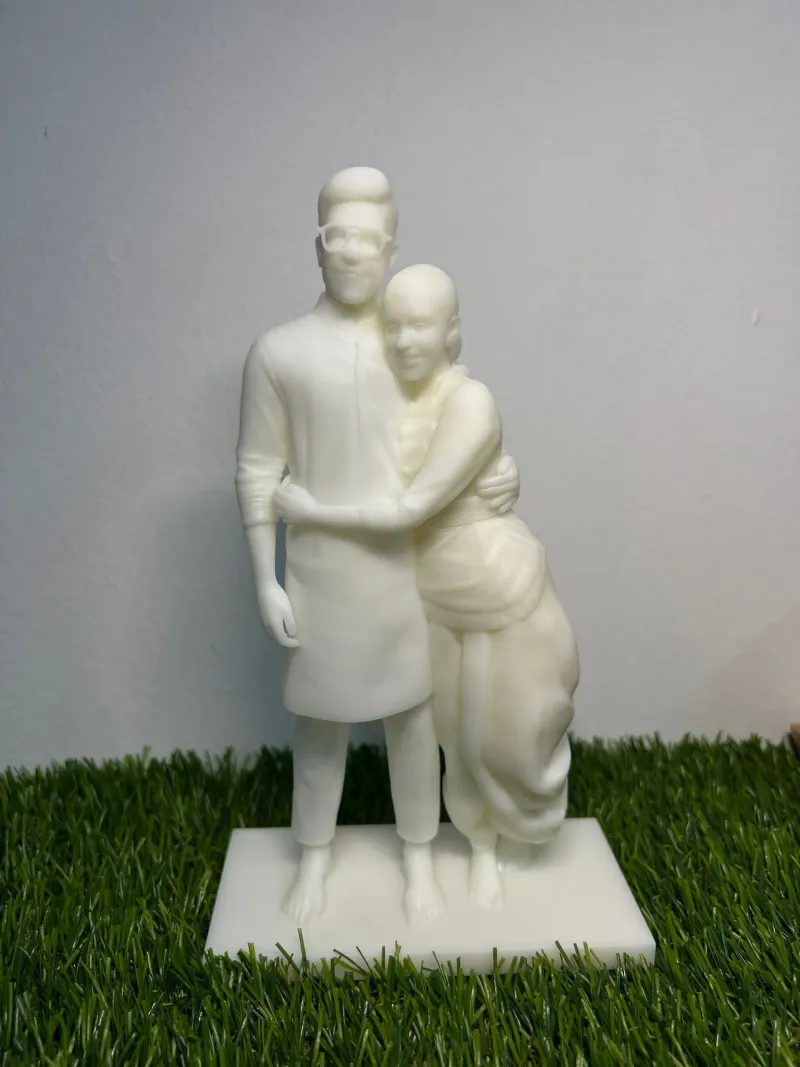
Yes. Two or three clear phone photos per person work best, a front view and a side view in even light. Your photos become character artwork and then a 3D preview, and you approve both before anything prints.
How long does a figurine from a photo take?
A hand-painted figurine takes about four weeks from the moment you approve the 3D preview, and a printed one about a week. That is before the time you spend on the artwork and preview rounds, which is up to you. Tell us your date if it is a gift.
Related
-
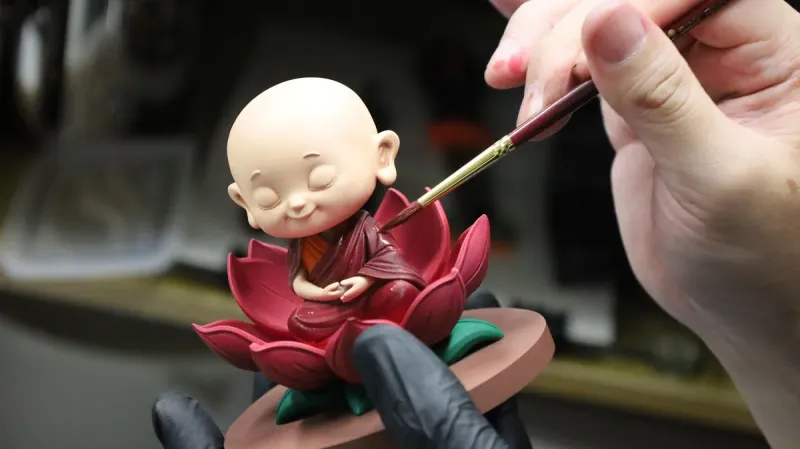 GuideHow does custom 3D figurine printing from a photo work in Singapore?
-
 GuideWhat is an STL file, and how do you open one?
-
 GuideWhy won't my 3D file slice, and how do I fix it?
-
 ServiceCustom 3D Figurines
-
 ServiceIndustrial 3D Printing
-
 Service3D Modelling, CAD and 3D Scanning
-
 ProjectCouple figurine for a private client
-
 ProjectHokkien mee plate figure for Shiok Hokkien Mee
-
 ProjectMulticolour 3D printed letters